Capture. Redact. Edit. Share.
Take control of your screenshots and PDFs. Hide private details, edit text, and export clean files. Everything happens locally in your browser. Nothing is uploaded.
- Full-page capture
- Blur and black-box
- Finds emails, cards and IBANsPro
- Edit PDF text like a documentPro
- Sign and annotate
- PDF, PNG, JPG
Free forever for everyday use. Pro from €3.33 a month.


Nothing is uploaded
Your screenshots and PDFs stay in your browser.
No sign-up
Install it and start capturing right away.
Works on any page
Any website or PDF, in Chrome, Edge, Brave and Arc.
How it works
From capture to a clean, shareable file in four steps.
Capture
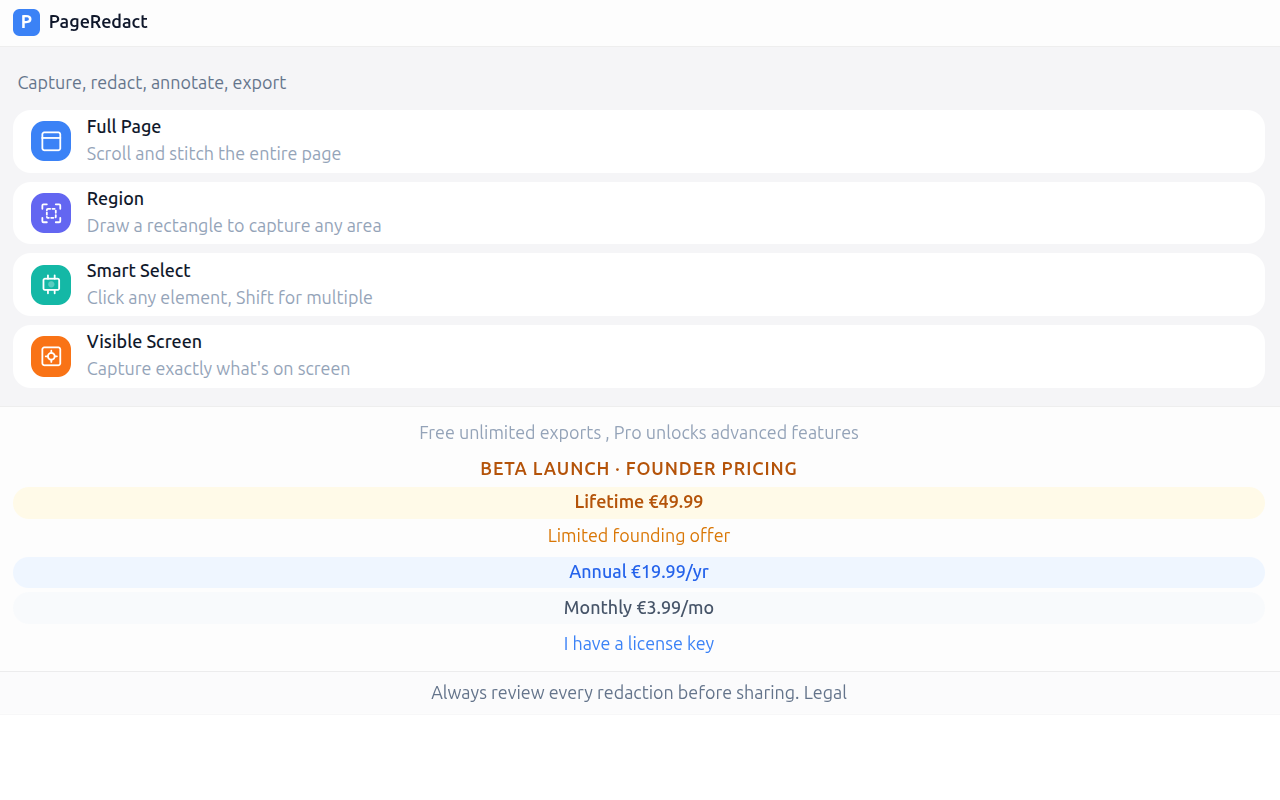
Open the side panel and pick a mode: full page, scrolling, a region, Smart Select or just what's on screen. You can also open any PDF, or turn a web page into one.
Detect
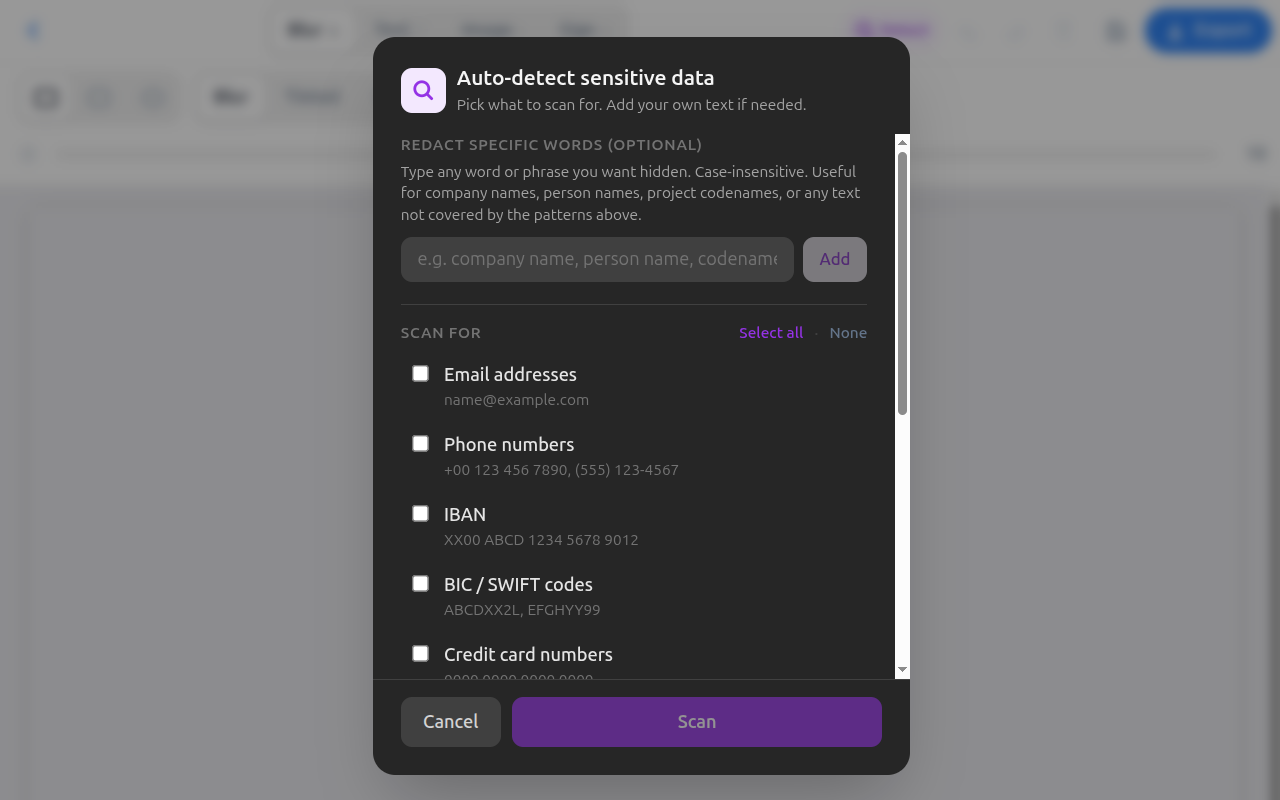
ProPageRedact scans your capture for emails, phone numbers, IBANs, card numbers, API keys and more. Free shows you how many it found. Pro highlights them and redacts them all in one click.
Detection can miss things, so always check before you share.
Redact and edit
Blur it, black it out or mask it. Add text, signatures and images. With Pro, edit a PDF's real text and paragraphs as if it were a document. The original page is never changed.
Removed, not just covered
A black box drawn over a PDF often leaves the words underneath, ready to copy. Pro's Apply mode deletes the hidden text and images from the file itself, so nobody can get them back. Layered mode keeps the real text for private previews and is clearly marked UNSAFE. Why blur is not enough
Export
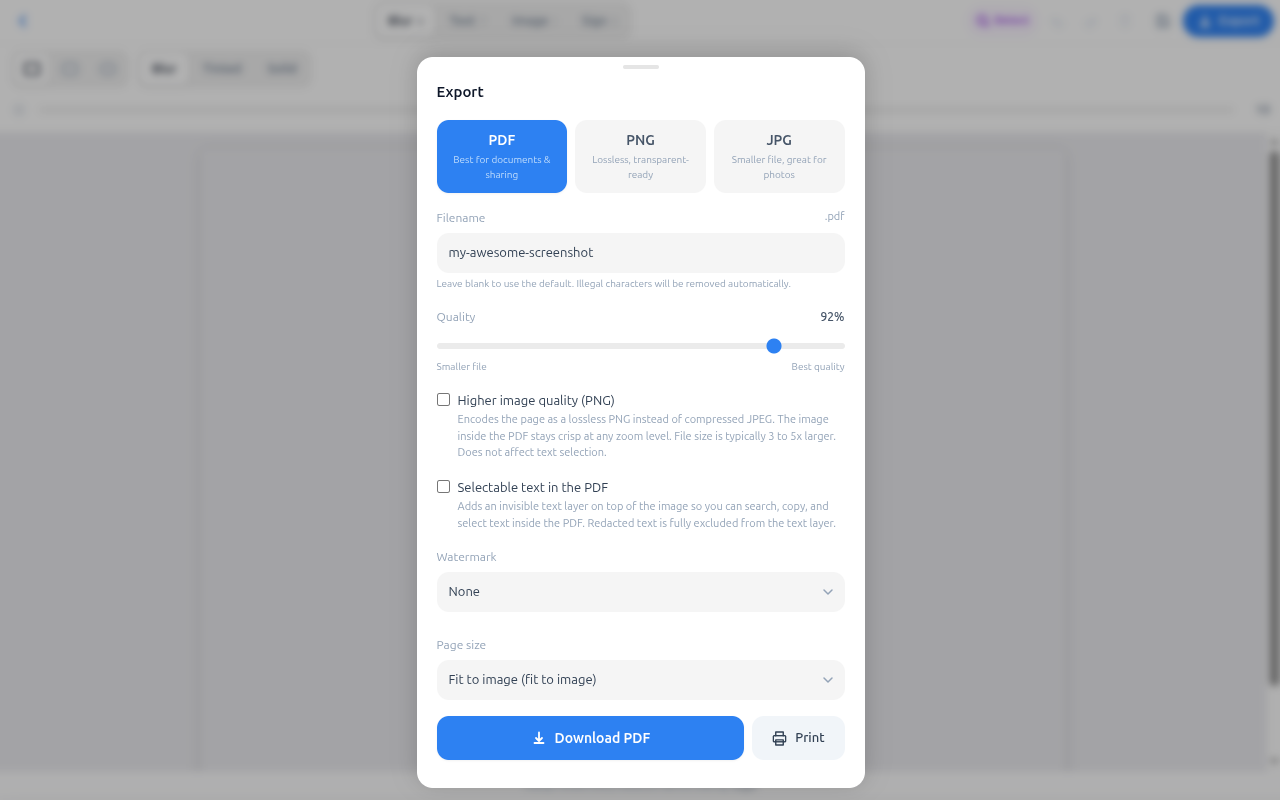
Save as PDF, PNG or JPG, or print it. Your redactions are part of the file, so what you share is what you see.
Simple pricing
Free covers everyday use, with unlimited exports. Pro adds proof, speed and polish. No card needed to start.
Free
€0
forever, no account
- Unlimited exports
- Every capture mode
- Blur, black box, oval, sign and annotate
- PDF, PNG, JPG and print
Monthly
€5
per month
Incl. VAT. Cancel anytime.
- Every Pro feature
- All updates while subscribed
- Use on up to 3 devices
- Full refund within 14 days
Annual
€40
per year, €3.33 a month
Incl. VAT. Cancel anytime.
- Every Pro feature
- All updates
- Use on up to 3 devices
- Full refund within 14 days
Founding Member
€80
Pay once, Pro for good
Incl. VAT. No renewals, ever. See terms
- Every Pro feature, for good
- All future updates
- Use on up to 3 devices
- Full refund within 14 days
Free or Pro?
Free does the everyday job. Pro is for when it has to hold up.
Free
€0, forever. No account.
Capture
- Full page, scrolling, region and Smart Select
- Open any PDF, or turn any web page into a PDF
Redact and annotate
- Blur, black box and oval mask
- Add text, signatures, symbols and images
- See how many sensitive items a capture holds
Export
- Unlimited PDF, PNG, JPG and print
- No watermark
Pro
From €3.33 a month. Full refund within 14 days.
Everything in Free, plus:
Redaction you can prove
- True PDF redaction: hidden text is removed from the file
- Signed audit certificate listing what you redacted
Work faster
- Auto-detect and redact emails, cards, IBANs and keys
- Edit a PDF's real text and paragraphs
Professional output
- PDF watermarks
- Lossless image quality in PDFs
Frequently asked questions
Is my data safe?
Yes. Your screenshots, PDFs, and page content are captured and processed entirely in your browser, never uploaded. The extension contacts our server only to check your license (your license key and a random device ID) and to sign audit certificates you ask for (a list of the areas you redacted, never their content). No analytics, no tracking, and no captured content ever leaves your browser.
Can I use my license on multiple devices?
Yes. Each license works on up to 3 devices. Visit pageredact.com/activate to manage your devices.
What is the difference between Monthly, Annual, and Founding Member?
Monthly (€5/mo) is the easiest way to try Pro: cancel anytime, no commitment. Annual (€40/yr) renews each year and works out at €3.33/mo; cancel anytime. Founding Member (€80) is a one-time purchase that keeps Pro for good, with no renewals, sold only until 31 December 2026.
What is your refund policy?
Every plan: Full refund within 14 days of purchase, no questions asked. After 14 days there is no refund; subscriptions can be cancelled anytime, which stops the next renewal and keeps Pro active until the end of the period you paid for. You can try Free first: no card needed.
Where is my license key? I lost it.
Check the receipt email from Stripe that was sent when you purchased. Search your inbox for "PageRedact" or "Stripe". If you still cannot find it, email support@pageredact.com with the email address you used to purchase and we will look it up for you.
Which browsers are supported?
PageRedact works on Google Chrome and all Chromium-based browsers, including Edge, Brave, and Arc.
Share without worry
Add PageRedact to Chrome for free. Capture, redact and export without anything leaving your browser.
Add to Chrome, it's free